Request chains
Request chains that pass values forward
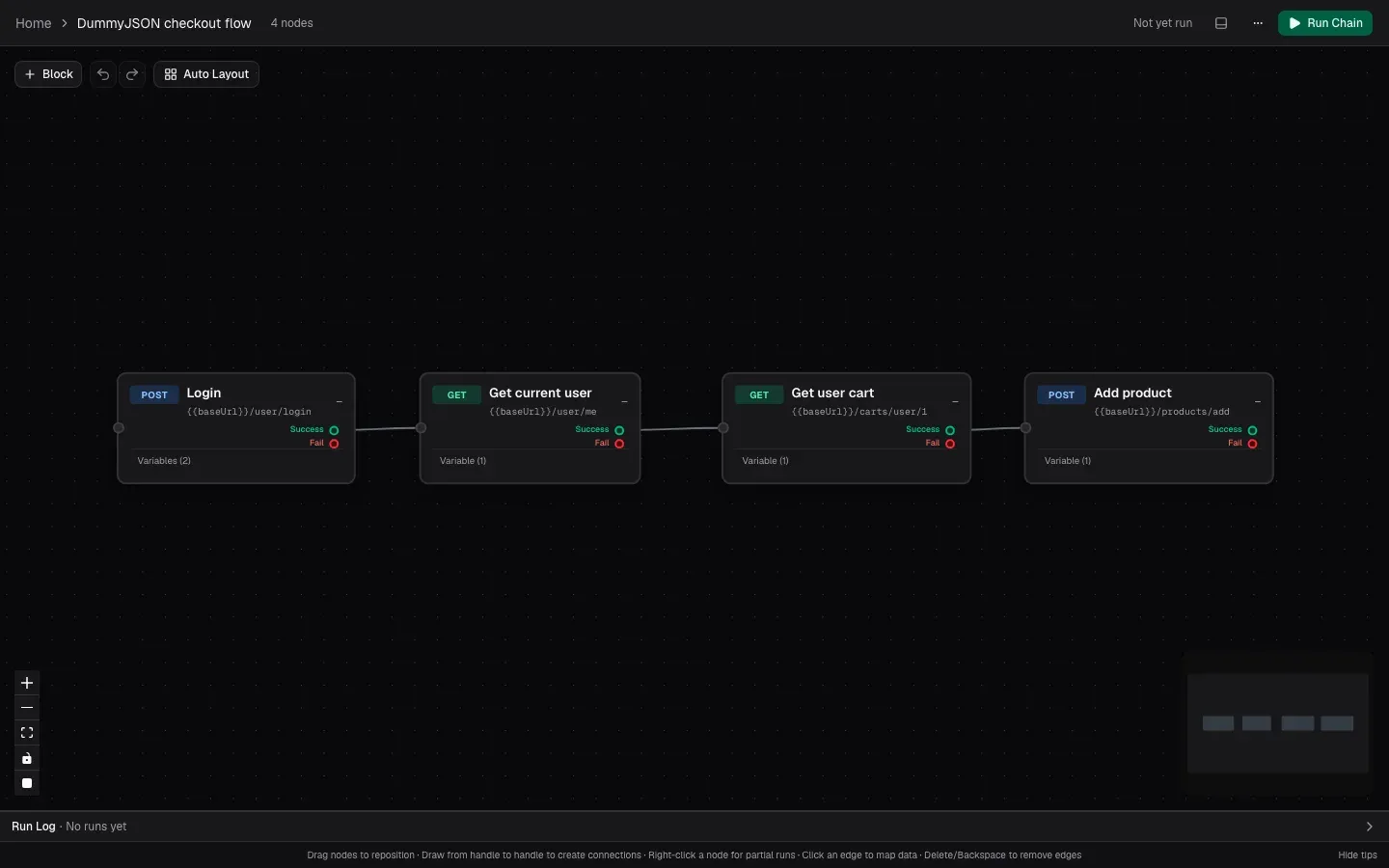
A request chain runs several requests in order and hands values from each response to the next one. Log in, grab the token, then call a protected endpoint in a single run.
Live demo
Run a login flow.
Press Run. The login response hands its token to the next request, and each step reports its own status and time.
chain · Login flow
- waiting
HTTP Request
POST {{baseUrl}}/auth/login
token ← $.access_token
- waiting
HTTP Request
GET {{baseUrl}}/me
Authorization: Bearer {{token}}
- waiting
Validate
Response matches the user schema
A scripted example. In the app every value comes from your own requests.
In the app
Pick the value you want from a response and name it. Later steps reference that name in the URL, headers or body.
Each step shows its own status and timing, so you can see exactly where a chain stopped.
How it works
From first click to result.
- 01
Put blocks on the canvas
Add HTTP Request blocks, plus Condition, Delay, Loop or Evaluate blocks when the flow needs them.
- 02
Draw an arrow, pick a value
Connect two blocks, pick a field from the source response with JSONPath and give it a name.
- 03
Use it downstream and run
Reference the name as {{token}} in a later URL, header or body. Each step shows its status and timing.
Capabilities
The details that matter.
block: Condition
Branch on a value
Send the run down one path or another based on an expression over upstream data.
block: Loop + Collect
Iterate over a list
Loop over an array from an upstream response, then gather the results back into an array.
block: Validate
Check the shape
Validate a response against a JSON Schema before the next step uses it.
block: Sub-chain
Reuse a flow
Run another chain as one step and bind its inputs, so a login flow is written once.
With Relay
Or ask Relay to do it.
Relay can build a chain from a description and run it, then read the run to tell you where it stopped.
Relay tools it uses
- create_chain
- add_chain_node
- connect_chain_nodes
- run_chain
- get_chain_run
Relay
- Create a chain that logs in and then fetches my orders
- Run the checkout chain and tell me which step failed
Stop copying tokens by hand.
Build the flow once and run it whenever you need it, in the browser.
Free, open source, no sign-up.